
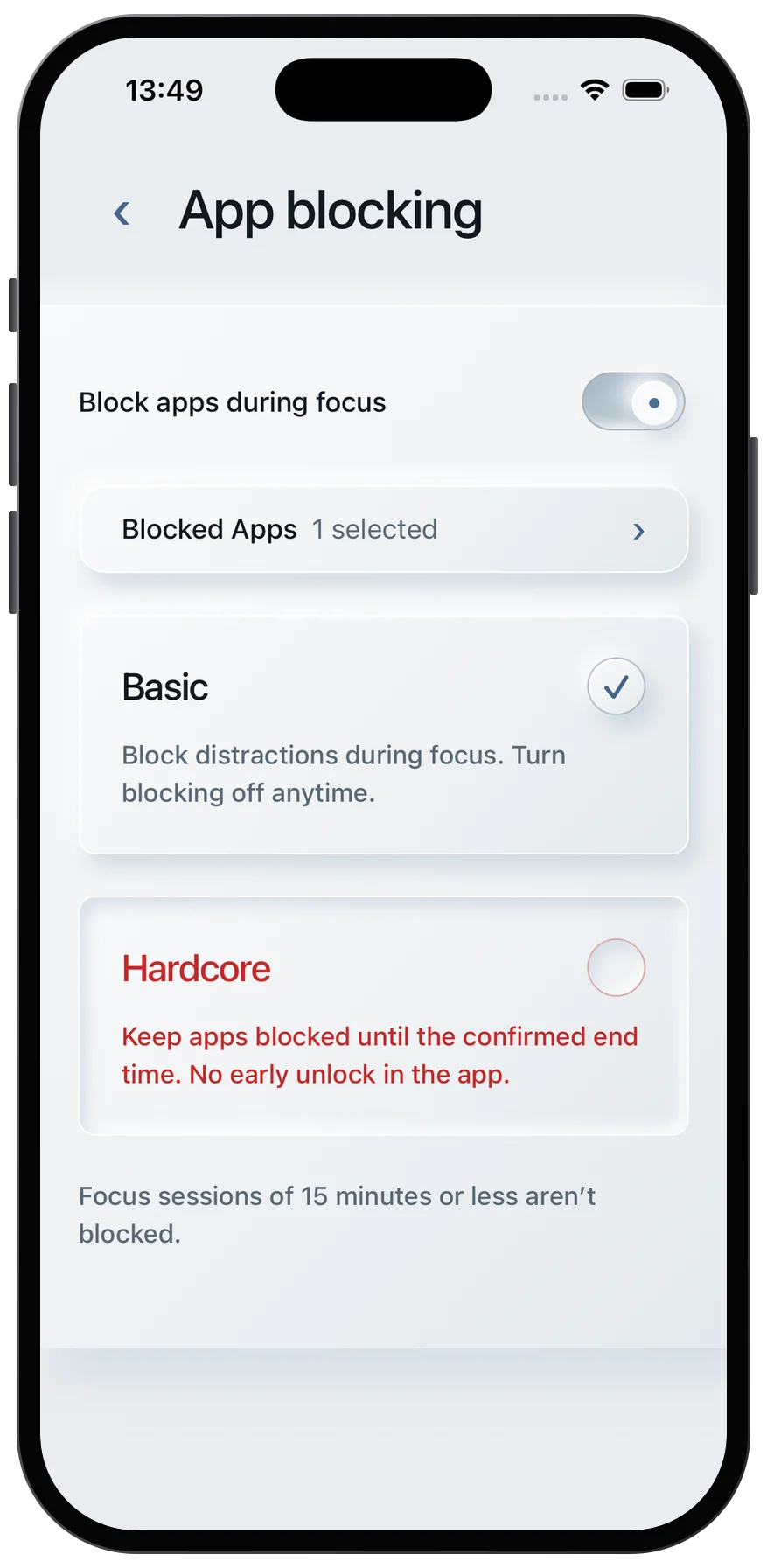
I start each Pomodoro with one clear task - and remove distractions before the timer starts. My starting point is 25 minutes of focus followed by a 5-minute break.
Here’s my five-step setup:
- Silence notifications and put my phone out of reach.
- Block distracting websites until break time.
- Clear my desk and screen, keeping only what I need.
- Set boundaries with others, including when I’ll be available.
- Write stray thoughts on a list instead of acting on them.
My rule: one task until the timer ends. During the break, I review my list, stretch, and choose my next step. If 25 minutes feels too long, I start with 10 or 15 minutes.
Pomodoro Technique, Improve Focus & Flow, Reduce Distraction & Wasted Time, Get More Done
Choose One Task and Set Your Focus Timer
Set a clear finish line for this session. Gather any notes, reading, or questions you’ll need before you begin.
In Quiet Pomodoro, enter your goal in “Your tasks.” Start with 25 minutes of focus and a 5-minute break. You can adjust both intervals in Settings.
Keep the timer tab open and make sure your device won’t go to sleep. Turn on the end-of-session sound if you’d like an audible cue. Before starting the timer, clear away your main distractions.
1. Silence Notifications and Put Your Phone Away
A buzz or pop-up can pull you into checking a message that can wait. Even a 3-second interruption can increase errors on procedural tasks.[1]
Turn on Do Not Disturb and allow only contacts you need to hear from. If you don’t need incoming communication, use airplane mode. Silence email and chat pop-ups, then put your phone out of reach.
For assigned reading, keep the chapter and notes nearby while your phone stays elsewhere. Read a short section, then answer from memory before checking your notes.
For drafting, keep one clear goal, such as “outline the introduction.” Close unrelated tabs and keep drafting until the timer ends.
With your phone out of reach, block browser temptations too.
2. Block Distracting Websites
With notifications silenced, close off the next easy escape: distracting websites. Social and news feeds have no natural stopping point. A temporary block removes the temptation to scroll when work gets hard.
Before-timer preparation
Block social media, news, video, shopping, and any other sites you tend to check. Allow only the research pages you need, and set the block to end when your break starts.
Studying application
Block entertainment sites, keep practice questions, digital textbooks, and answer keys open, and answer from memory before checking solutions.
Writing application
Block email and feeds, and keep only your draft, outline, and selected sources open.
Next, clear your desk and screen so your workspace matches your blocked browser.
3. Clear Your Desk and Screen
Unrelated papers and open projects compete for your attention. Put other tasks out of sight, not beside your keyboard. A clear desk helps you stick with the task you chose.
Before-timer preparation
Set a 5-minute limit for cleanup so it doesn’t become procrastination. Move unrelated papers and spare tools off your desk, close extra documents and unused apps, and gather your pen, charger, and water before you start. Focus on your immediate workspace - not the whole room.
Studying application
Keep your textbook, relevant notes, and assignment within reach, and put materials for other subjects away.
Writing application
Keep your current draft, primary sources, and outline available, and keep the draft on screen. Move paperwork for other projects out of sight. Leave a one-line note with the next writing step so you can resume without reopening other projects.
With your desk clear, let others know when they can interrupt you - and when they can’t.
4. Set Boundaries for Interruptions
Once your desk is clear, let the people around you know when you’ll be available. Even a quick question from a roommate or coworker can break your Pomodoro focus. Give them a specific return time so nonurgent requests can wait until the timer ends.
Before-timer preparation
Make your focus time visible with a closed door or a “Focusing” sign. Urgent caregiving needs, safety concerns, and work emergencies should still interrupt the session.
Studying application
Before starting a 25-minute timer, ask for uninterrupted reading time:
I’m in a focused reading session until 2:30 PM. Can we catch up when I’m on my break?
Writing application
Post a status message with the time you’ll resume replying. Use that same return time when someone brings you a nonurgent request:
Writing session in progress. I’ll resume replying to messages at 4:00 PM.
5. Write Stray Thoughts on a Distraction List
A thought about researching a source or handling a chore can pull you off task. Write it down without acting on it. That way, you can return to it later without losing focus now.
Before-timer preparation
Keep a list beside you or use a note inside your timer. Jot down a few words, then get back to the task. Review the list only during a break.
Use the same approach with a study timer or a focus timer for writing.
Studying application
During reading or active recall, note a question like research source X instead of opening another tab. Return to the material immediately, then check the question after the timer ends. This keeps a research detour from replacing your study task.
Writing application
If order coffee or fix sidebar comes to mind while drafting, jot those words on your list without leaving the draft. Continue the sentence you were writing. At your scheduled break, decide which items need action; capturing an idea does not commit you to doing it.
Prepare for Your Next Focus Session
Before starting the next timer, repeat your setup: set boundaries around interruptions, keep your distraction list handy, and gather the materials you’ll need.
Stick with one task until the timer ends rather than checking messages or switching assignments. If getting started feels hard, try a 10- or 15-minute focus interval. Wrap up each session in a way that makes the next one easier to begin.
When the timer ends, write down your next action and start the break timer. Check your distraction list, but handle only quick, nonurgent replies. Leave longer requests for later. Stand up, stretch, or get water. Before restarting, choose a clear outcome for the next session. Restart deliberately after the break.
FAQs
Should I restart my Pomodoro after an interruption?
It depends on how urgent the interruption is. If it can wait, add it to your distraction list and get back to your task. If it needs attention now, pause or reset the timer. Don’t count an unfinished interval as completed. When you’re ready to return, start a new focus interval.
How can I avoid distractions when my task requires browsing?
Before you start, close unrelated tabs and leave open only the resources you need for the task at hand. Keep a distraction list for stray thoughts and ideas for new searches. Jot them down to revisit later rather than following them right away.
You can also use built-in app-blocking features to block distracting sites or social media until your break starts.
What if I finish my task before the timer ends?
You don’t have to work until the bell rings. Mark the task complete, and the next task on your list will move into the timer. Or use the remaining time to review your progress, note what needs attention, or plan the next step for your next session.
If you often finish early, try a shorter interval in your settings to better fit your work.